STREAMING PRODUCT SUITE: MOBILE & TABLET DEVICES
Network Streaming Apps
The goal was clear: increase video time spent and average revenue per user. The strategy was to stop treating the apps as content directories and start designing them around how people actually watch - their habits, their history, their context. The challenge was doing it at scale. A lean team. Multiple platforms. Multiple brands. A single design system that had to hold across all of them.
A+E Networks' streaming apps gave viewers full access to live and on-demand content across HISTORY, A&E, Lifetime, and FYI, on any device, on their schedule. TV Everywhere authentication unlocked the full catalog for cable subscribers; a lighter, filtered experience kept the door open for cord-cutters. Nielsen's proprietary measurement software was integrated throughout, capturing TV ratings data and contributing directly to corporate revenue goals.
The result was a suite of apps that felt like they belonged to each brand individually, while running on one unified foundation underneath.
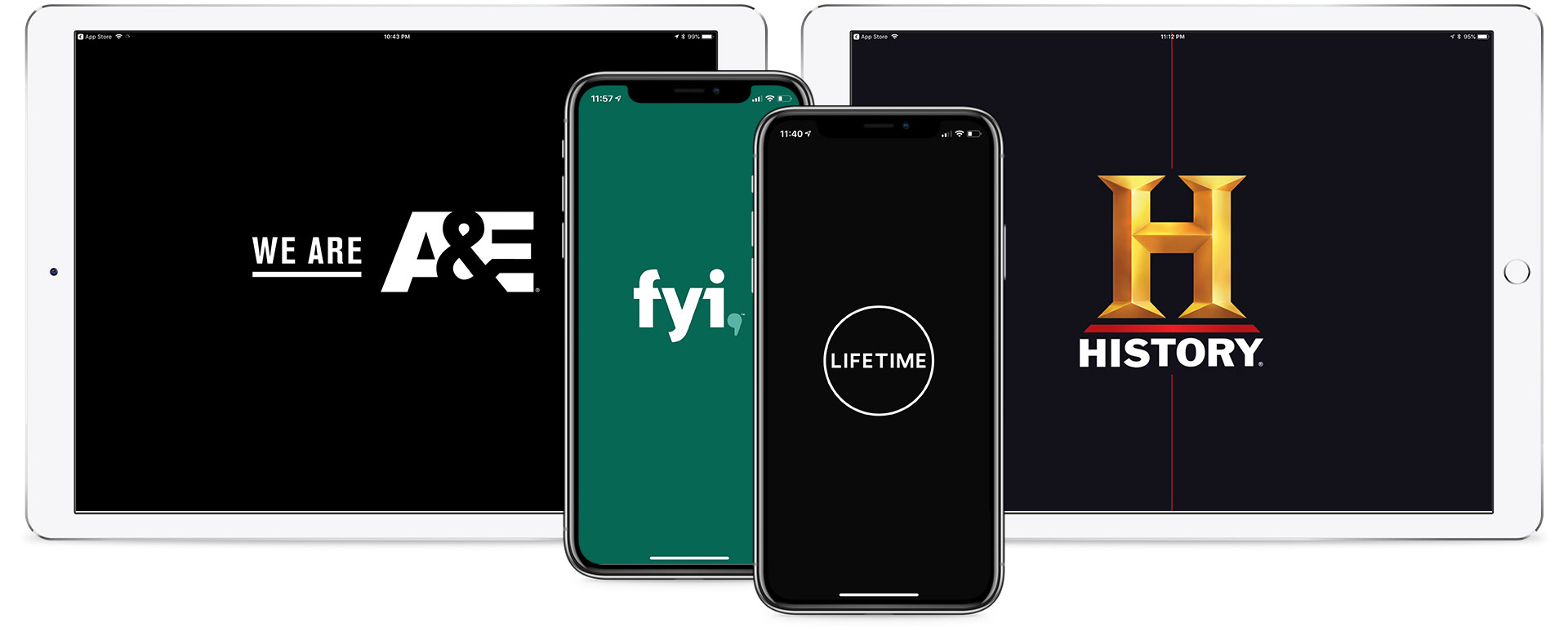
Splash screens - all brands, mobile and tablet
The A+E streaming portfolio spans the core of the brand family, with each app opening on a brief animated splash screen while content loads in the background. Brand identity leads from the first frame: color, typography, and key art doing the work of differentiation before a single tap.
Operating with a lean team meant the design approach had to do more than look good, it had to scale without breaking. A shared design system and core code base sat beneath all four apps, with brand colors, type styles, button treatments, image proportions, gradients, and grid logic unified at the component level. Content was the differentiator. Key art, photography, and brand color carried the identity. The system carried everything else.
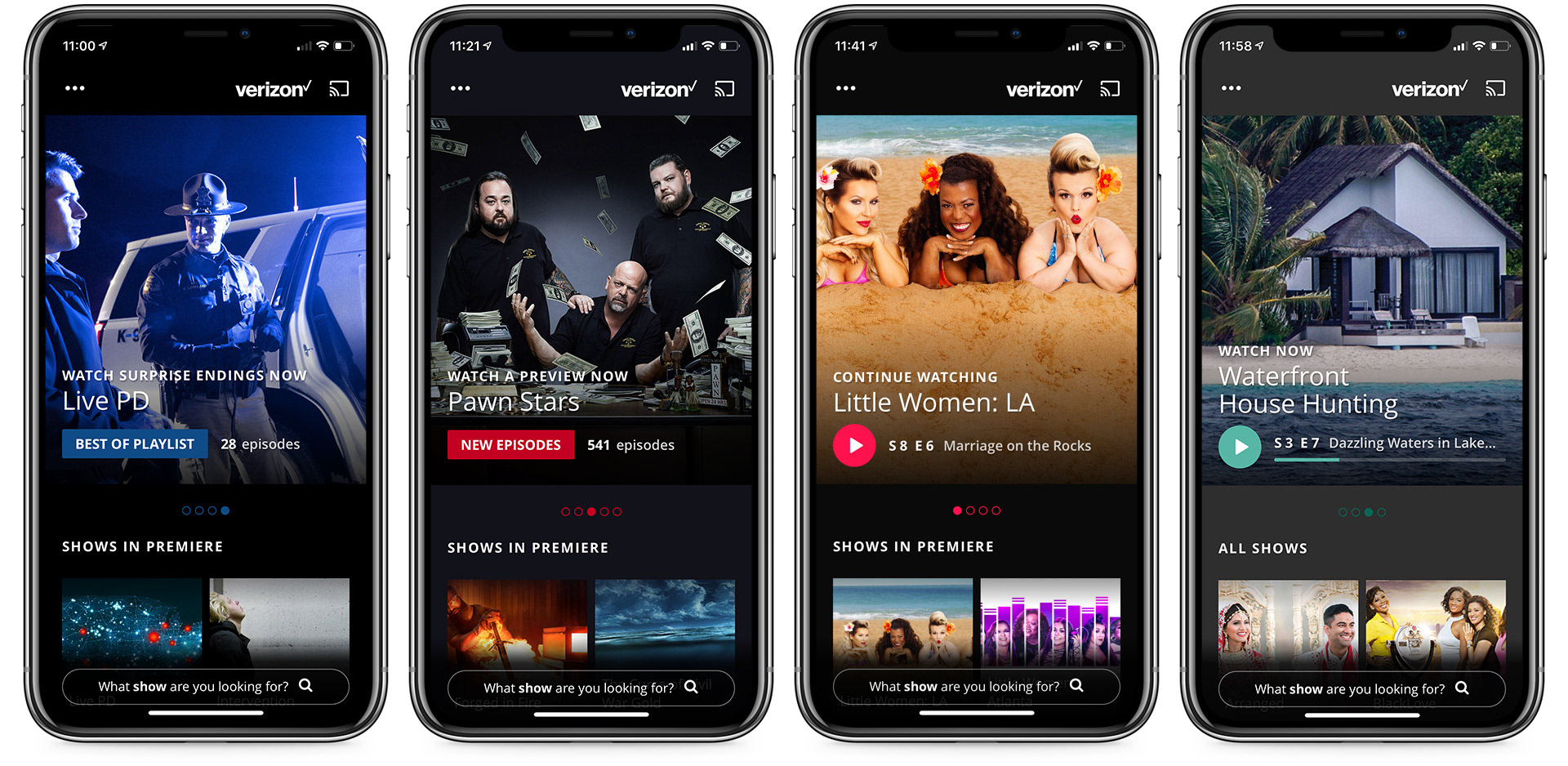
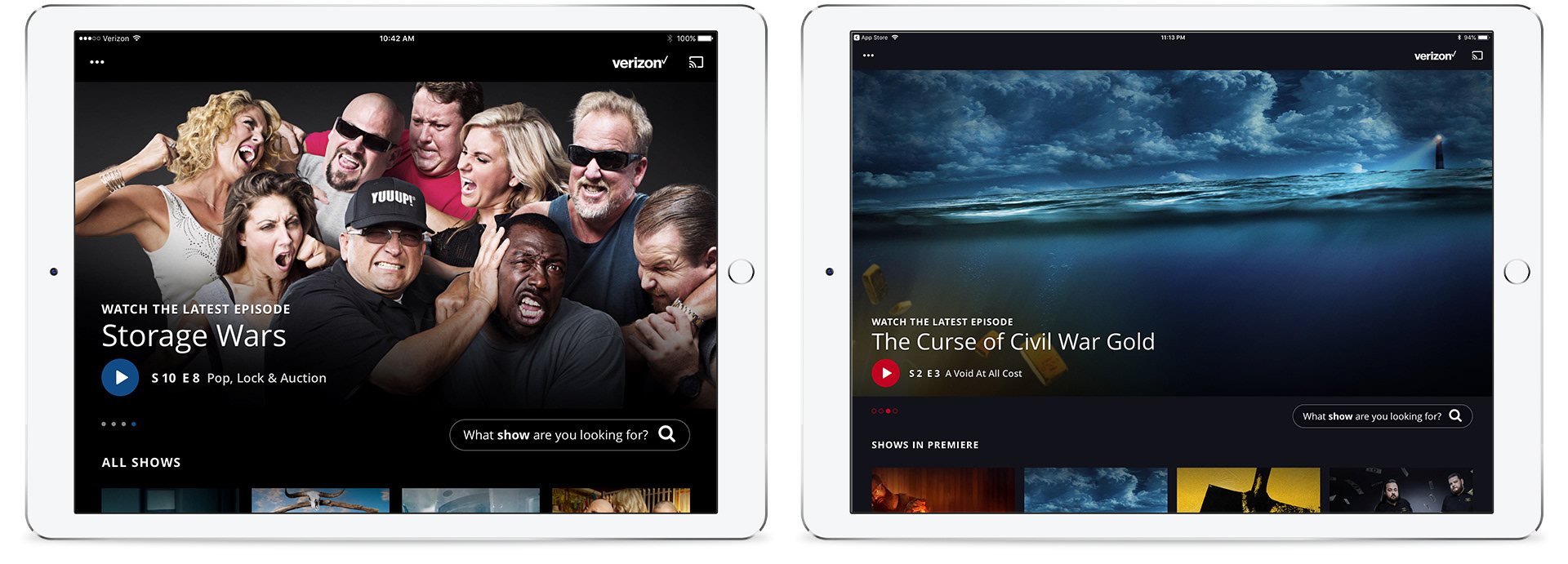
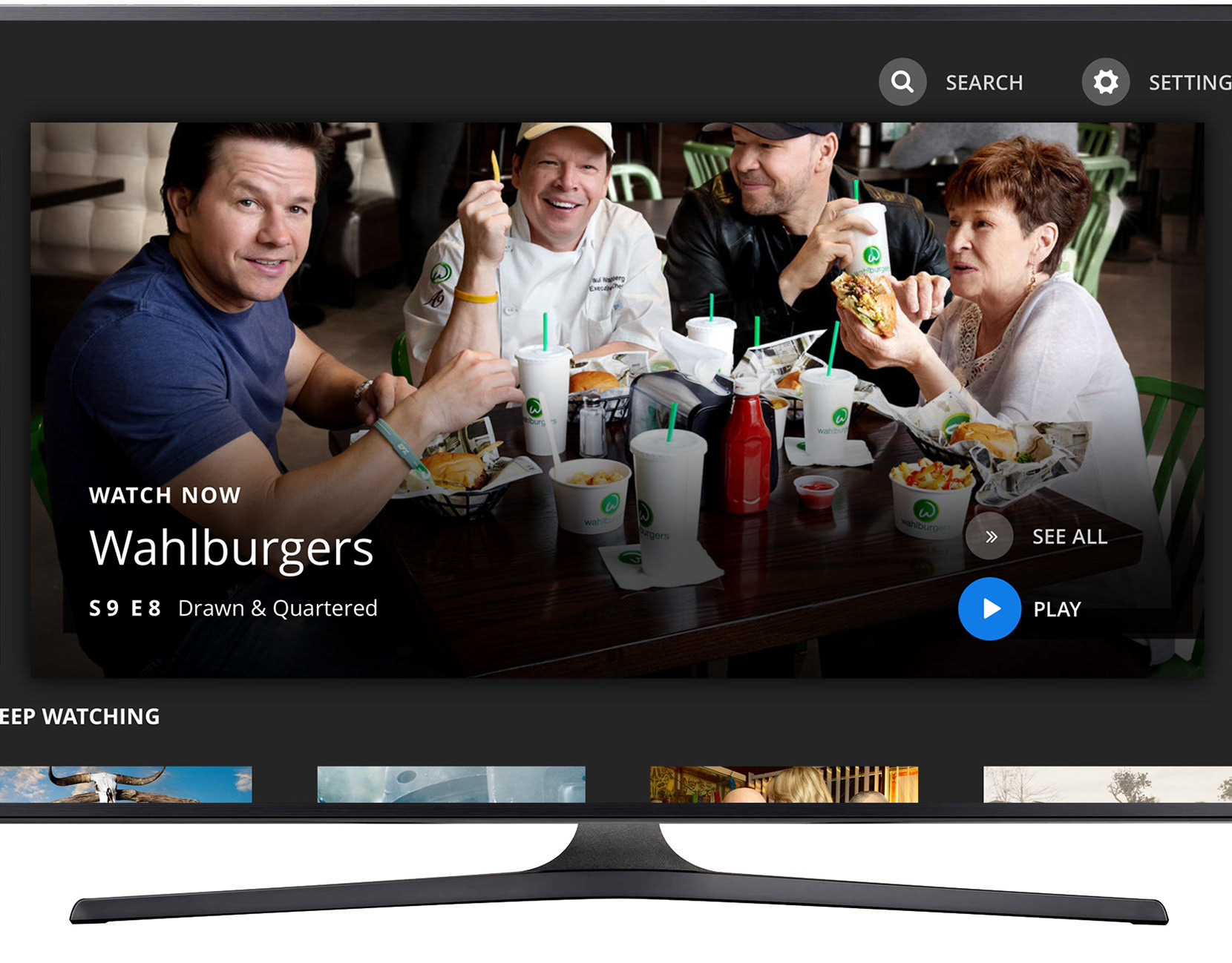
Hero carousel - personalized content, home screen
The home screen led with a personalized hero carousel, surfacing content contextually relevant to each viewer based on their watching history. Pagination indicators kept users oriented within the carousel. It was a small detail that meaningfully reduced friction for the most common interaction on the screen.
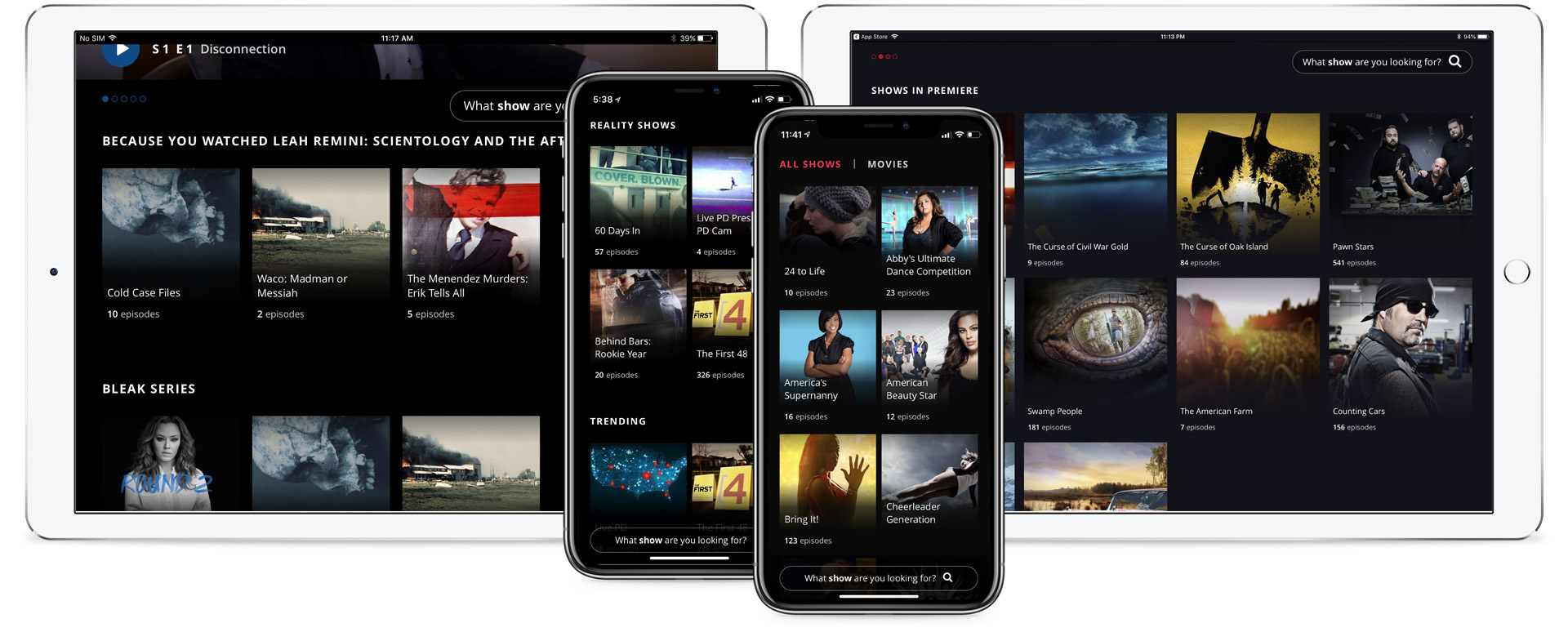
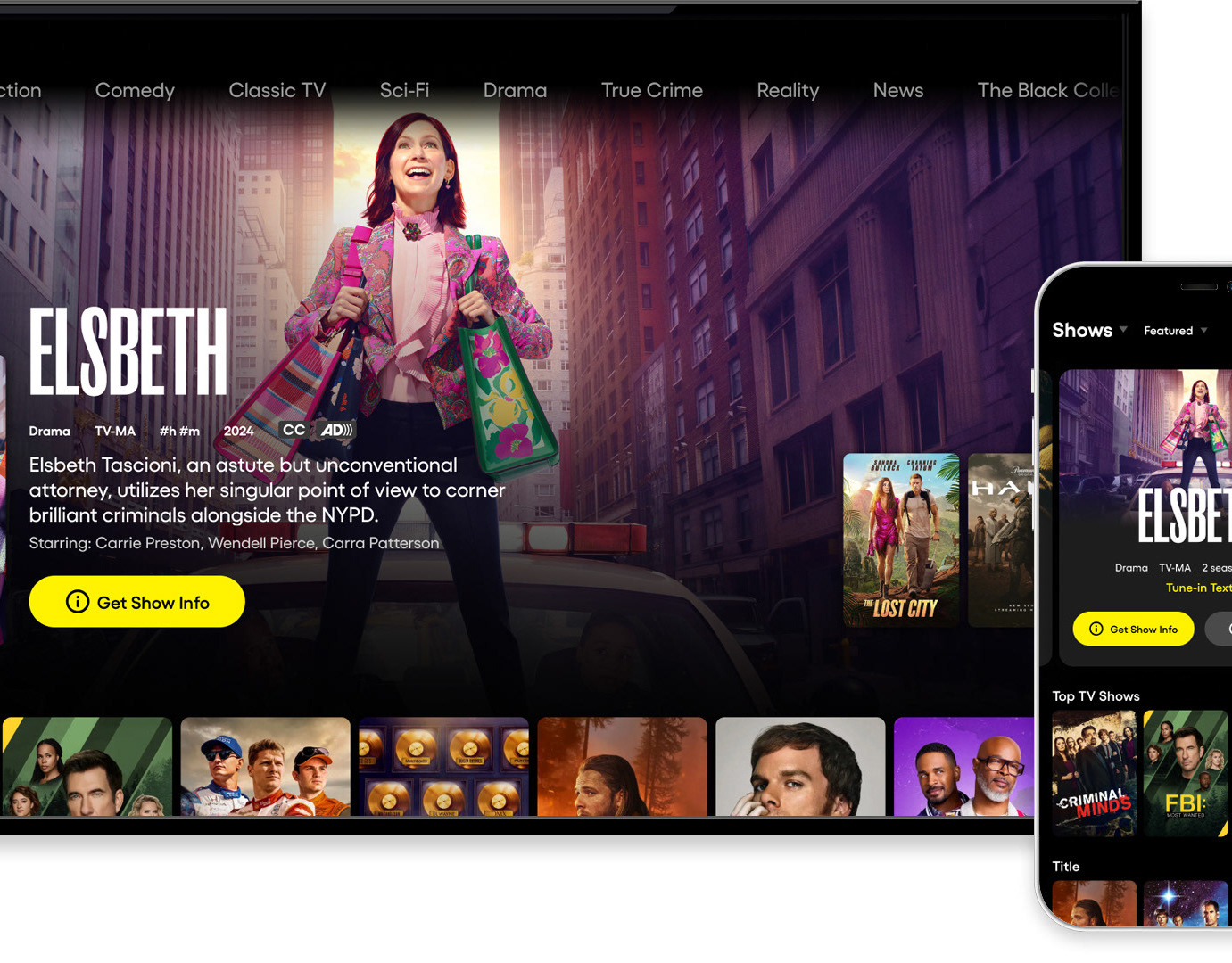
Content carousels - Movies / Shows content discovery
Personalization ran deeper than the home screen. Content carousels throughout the experience were automatically generated based on viewing behavior, creating a home that felt different for every user, and more useful the more they watched.
Series detail screens were designed for browsers and committed viewers alike. Episode counts, season selectors, and descriptions were all accessible without cluttering the default view, a simple tap revealed more. The player adapted to portrait and landscape orientation, with Chromecast support extending the experience to the big screen when users wanted it there.
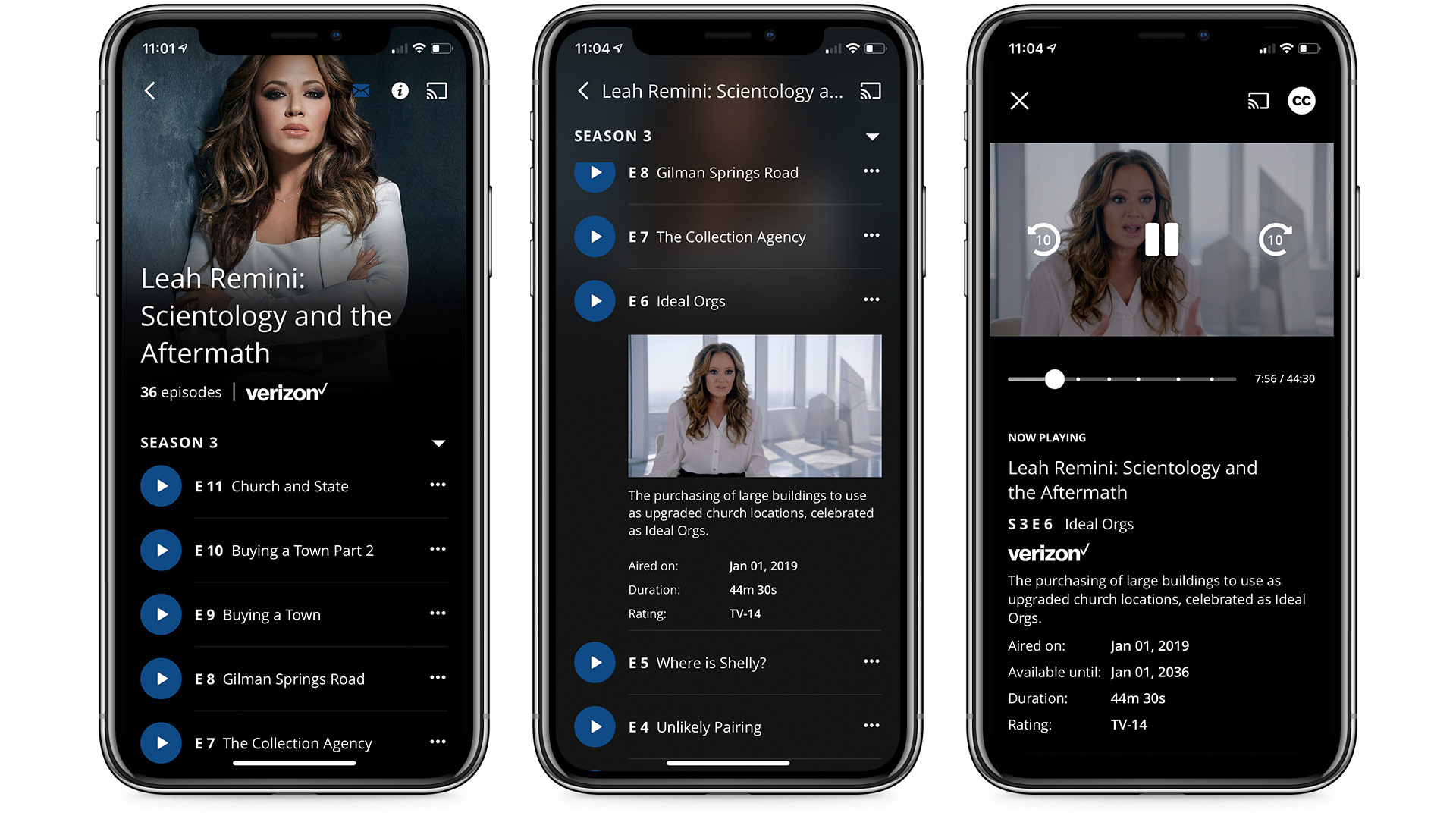
Series detail and video player
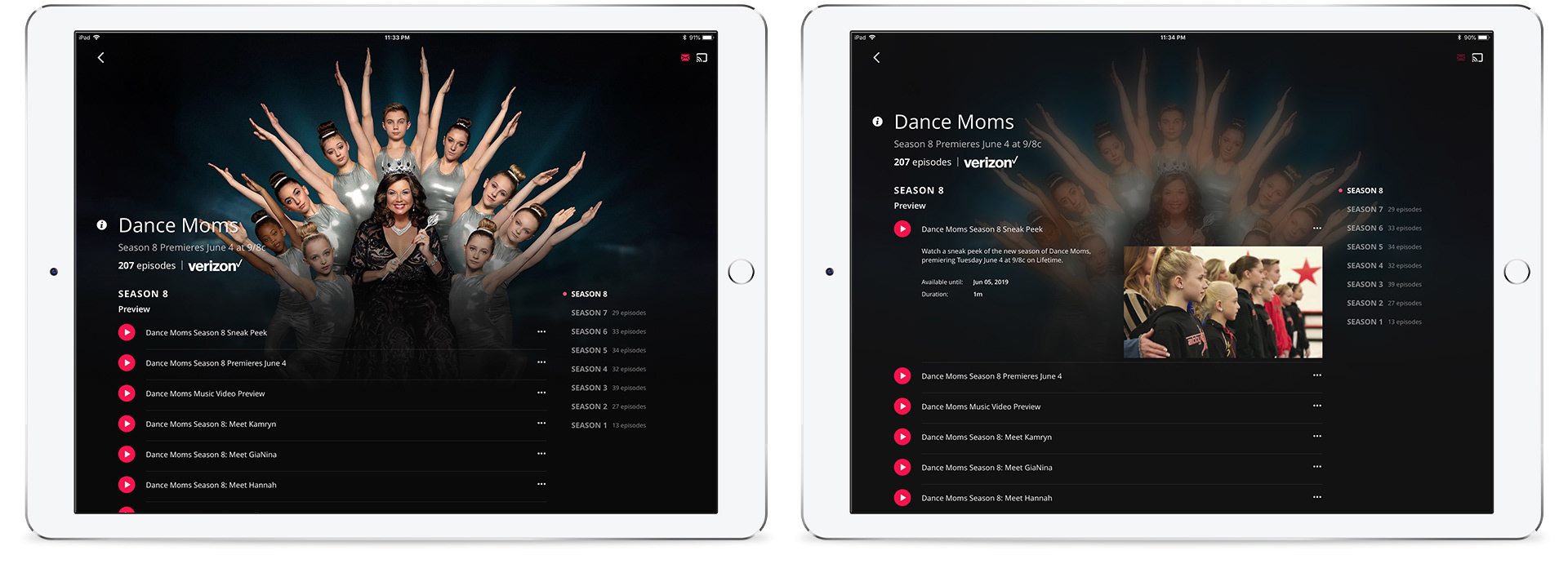
Season navigation and episode details
Lifetime required its own treatment. As a top entertainment destination built around original movies and a deeply loyal audience, the movie experience needed to feel distinct from the series format without breaking from the shared system. Movie landing screens carried a different visual weight, one that honored the drama the audience came for.
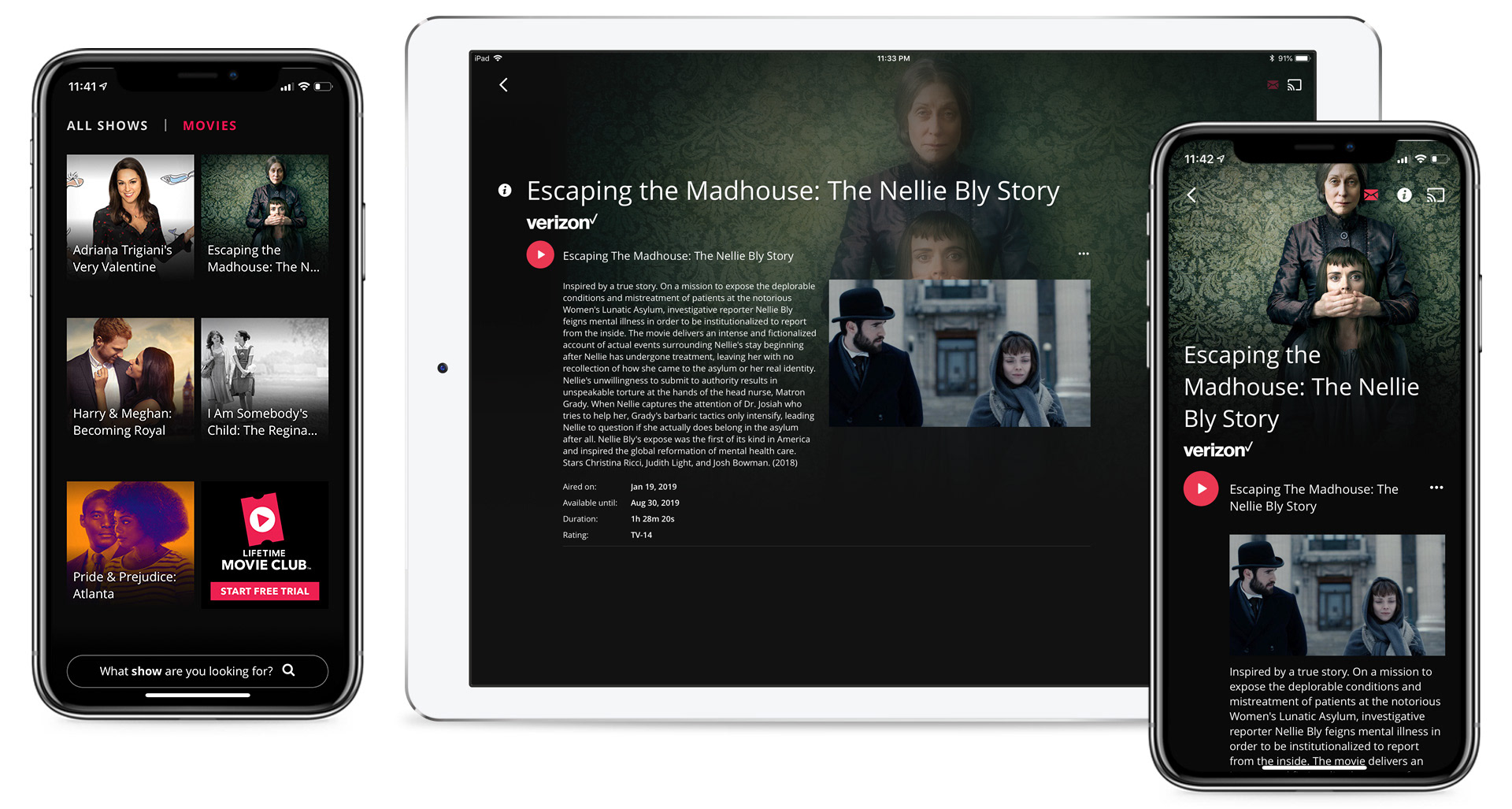
Lifetime movies - landing screen and detail
Authentication state shaped the experience without punishing either user. Cord-cutters got a filtered view with a direct path to available episodes; cable subscribers signed in to unlock the full catalog. Both paths were clear, neither felt like a dead end.
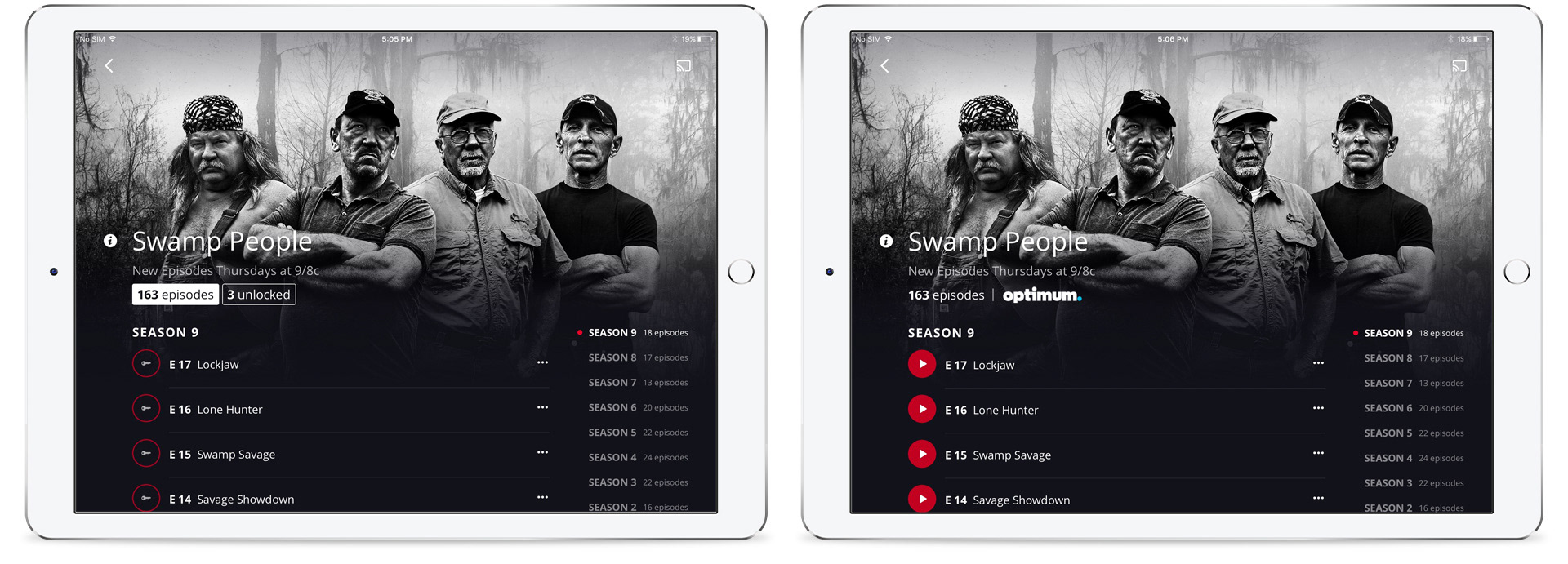
Cord-cutter vs. subscriber views - filtered and full access
Direct relationships with viewers were a strategic priority — not a feature. Users who created profiles and opted into newsletters showed measurably deeper engagement with programming. Prompts to sign up were placed at the right moments in the experience, not inserted arbitrarily, respecting the user's flow while advancing a meaningful business goal.
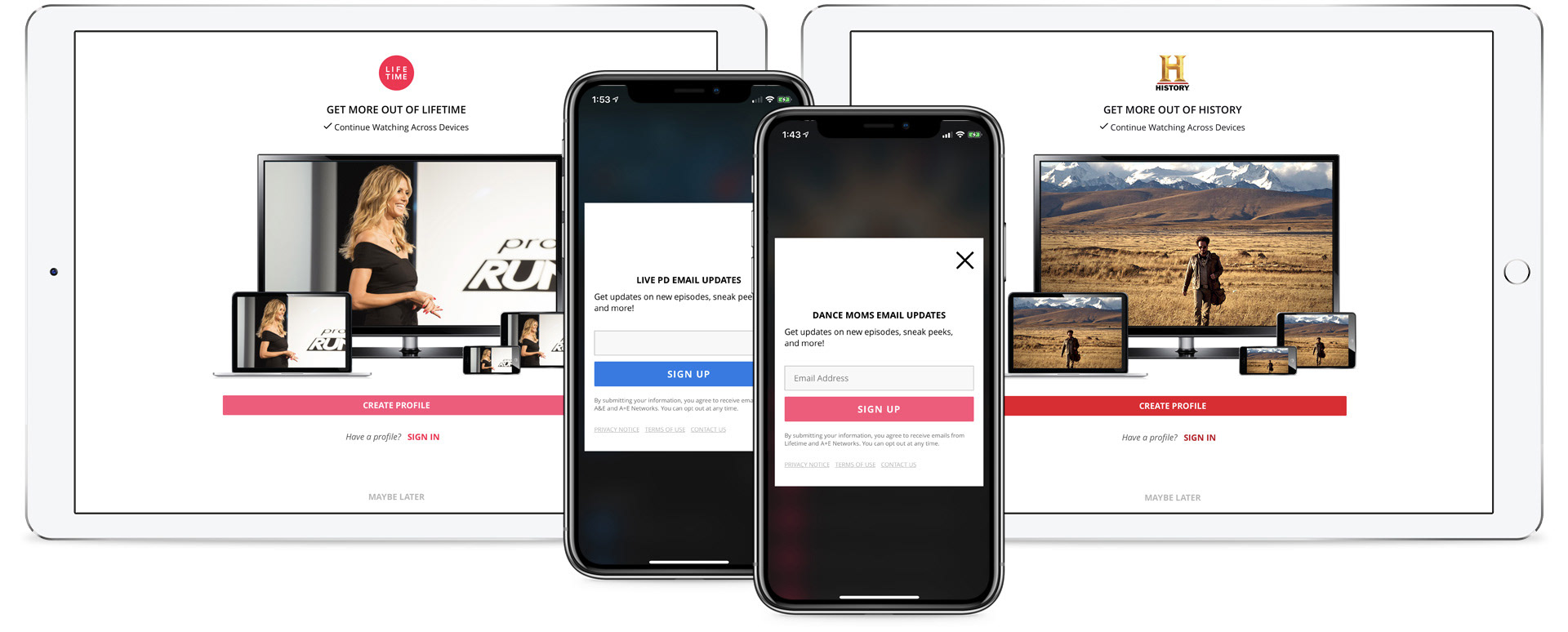
Profile creation and newsletter sign-up prompts